Why Choose us

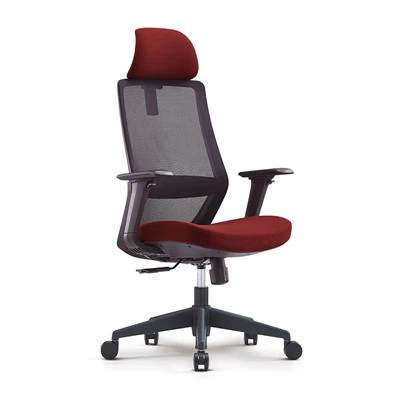
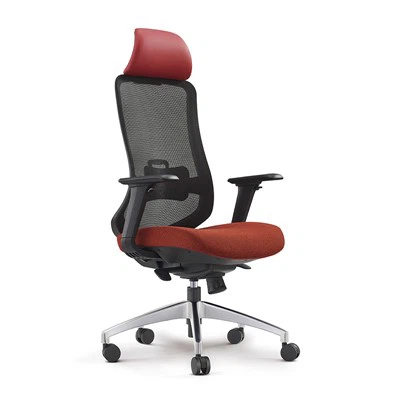
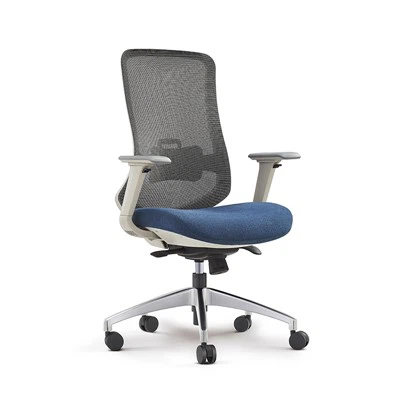
Anji Jiefeng Furniture Co., Ltd. is a professional supplier of office and gaming chairs! We were established in 2019, and our main products are office chairs, gaming chairs, bar chairs, armchairs, and these chairs have more than 80 patents. Our factory covers an area of 6,000 square meters and has a monthly production capacity of 20,000 chairs, ensuring our ability in mass production and quality control of the chairs.
Rich Experienced
Our team has more than ten years of experience in chair R&D and sales, and provides 24-hour online services to answer your questions at any time.
Well Equipped
Our production line is equipped with a large number of professional machinery, including screw air compressors, sewing machines, claw nail machines, and cutting machines, which can independently complete the production and assembly tasks of chairs.
Wide Product Range
We produce chairs of various functions and materials, including mesh, leather and fabric office chairs and gaming chairs, which are used in offices, bedrooms, living rooms, bars and other areas.
Customized Service
We support OEM & ODM order, according to customers' customized needs, we provide flexible choices in terms of materials, functions and appearance of chairs.
A gaming chair with RGB is your power seat with red, green, and blue lights. Often, these are LED-powered lights. They are usually available in a strip, can create more than 30 color combinations, 30 pulse combinations, and 6 solid colors. All gaming spaces will look identical and boring without decorative RGB LED lighting. The varying LED light colors and patterns can help personalize your gaming space and make it look unique and different from the rest.

Features of RGB Lighting Gaming Chair
Rich Lighting Modes
Our RGB lighting gaming chair has a variety of cool lighting modes. You can choose your favorite light color and model and customize it according to your room and computer accessories.
Ergonomic Design
These gaming chairs feature an ergonomically curved design and include removable neck and lumbar pillows. Whether you're gaming for long periods of time or working in front of your computer, they always provide stable, comfortable support.
Durable Material
Our gaming chair features a seamless molded backrest design with high-strength nylon mesh and sturdy leather as the contact surface, and comes with an SGS certified air lift device that can easily bear up to 300 pounds.
Adjustable Structure
These RGB gaming chairs feature an adjustable high backrest that can be tilted from 90° to 180°, and their seat height can be adjusted from 18 inches to 22 inches to meet the needs of users of different heights.
How to Set Up RGB Gaming Chair?
Once you’ve chosen your RGB gaming chair, it’s time to set it up and start enjoying its features. Here’s a general guide on how to set up and use your RGB gaming chair:
Assembly Instructions
(1) Start by unpacking all the components of your RGB gaming chair.
(2) Follow the manufacturer’s assembly instructions carefully.
(3) Typically, you’ll need to attach the base, seat, backrest, armrests, and other adjustable components using the provided screws and tools.
(4) Ensure all the parts are securely fastened to guarantee stability and safety.
Connection and Control Setup
(1) Depending on the model, your RGB gaming chair may require a power source to operate the RGB lighting.
(2) Connect the chair to a power outlet using the provided cable or adapter.
(3) If your chair supports connectivity with gaming devices or computers, follow the manufacturer’s instructions to establish the connection. This may involve using USB, Bluetooth, or other connection methods.
(4) Install any necessary software or drivers to control the RGB lighting effects, if applicable.
(5) Familiarize yourself with the control options, such as buttons, dials, or remote controls, and learn how to adjust the lighting effects and colors according to your preferences.
Now that your RGB gaming chair is set up and connected, it’s time to immerse yourself in an enhanced gaming experience.
What is RGB (red, green and blue) Used For?
Often called a component video signal, RGB signals are divided into their component colors. Red, green and blue can be combined in various proportions to obtain any color in the visible spectrum. The RGB model uses 8 bits each -- from 0 to 23 -- for red, green and blue colors. Each color also has values ranging from 0 to 255. This translates into millions of colors -- 16,777,216 possible colors to be precise.
Each component can take any value between 0 (black) and 1 (white). For example, if each component takes a value between 0 and 1, the total range of possible colors is 0 to 255. When these three numbers are added together, the resulting number represents the light's intensity.
Each R, G and B level can range from 0% to 100% full intensity. Each level is represented by the range of decimal numbers from 0 to 255 -- 256 levels for each color -- equivalent to the range of binary numbers from 00000000 to 11111111 or hexadecimal 00 to FF. The total number of available colors is 256 x 256 x 256 or 16,777,216.
RGB lighting creates a wide variety of colors that range from warm orange to cool blue. RGB lighting technology is often used in RGB light-emitting diode strips -- for example, triple diode Classic LED strips. This color space is a color representation method used in electronic displays, like televisions, computer monitors, digital cameras and various types of lighting.
Ways to Control RGB LEDs and Strip Lights
To make precise colors from your RGB light you will need an RGB LED controller, they are sometimes referred to as 3-channel controllers as they basically control the 3 primary color ‘channels’. This will make it easy to automatically tune the 3-LEDs to make the light you want. Take a look at a few different types below that we typically use:
Single-zone RGB LED Controllers
These controllers are commonly used to control LED Strip lights. These come with a simple receiving unit that goes in between your power and RGB strips with a handheld controller that lets you control from 20-30 meters away.
You will find these with RF radio frequency connection or IR line-of-site. These controllers easily control all the LED lights connected to it, the downside is you cannot control different sections independently.
Wifi / Bluetooth Multi-zone Smart RGB Controllers
These SMART controllers connect to your smart devices via an included phone app. There is also an option to include a remote if you want two options to dim. The Multiple-Zone support lets each RGB remote (or smart device app) connect to multiple receivers, therefore allowing you to control multiple zones/rooms in your house. Easily control your office, living room and bedroom all from the same RGB controller.
These controllers also allow you more range of colors as you can adjust your Red, Green and Blue LEDs manually from 0-256 within the phone app if you would like.
DMX Controller for RGB LEDs
A DMX controller gives you unlimited choices to control RGB lighting and is truthfully what could possibly give you 16.7 million different colors. DMX controllers used to be way too big and bulky to be feasible in a small RGB application. However, with the increase in technology, DMX controllers today can be small touch panels, wall controllers or even smart phone applications.
DMX controllers are usually used for larger jobs or anywhere that specific, numerous colors are needed. Choosing the DMX controller for you will ultimately come down to how many strips you are running and how much you want to spend. Some DMX controllers can manage thousands of channels at once.
Reasons of Using RGB Lighting Gaming Chair
They Look Cool
There’s no denying that gaming chairs with LED lights look pretty darn cool. If you’re the type of person who likes to show off your gaming setup, then a chair with built-in LED lights is definitely going to turn some heads. Not only do they look great, but they also add a bit of extra light to your gaming area, perfect for those late-night gaming sessions.
Providing Extra Comfort
In addition to looking cool, gaming chairs with LED lights can also provide some extra comfort. Some models come equipped with massage functions and heating pads, making them even more comfortable to sit in for long periods of time. And if you tend to get cold while gaming, the built-in LED lights can provide some much-needed warmth.
They Help You Focus
When you’re in the middle of an intense gaming session, it’s important to be able to focus on the task at hand. And one way to help you stay focused is to have a well-lit gaming area. With a gaming chair that comes equipped with LED lights, you’ll never have to worry about not being able to see your screen, even during those late-night gaming sessions.
Multifunctional
If you are concerned that you will need to use your gaming chair more frequently to make it worthwhile, keep in mind that the majority are suitable for various uses. They can be used when working, studying, or sitting at a desk. RGB gaming chairs are designed to be locked at an angle between 90-180 degrees (170-degree safety angle) to provide an enjoyable experience for both reading and watching TV.
Factors to Consider When Choose RGB Lighting Gaming Chair
The first and most important consideration when choosing a gaming chair with LED lights is ergonomics. The chair should be adjustable to fit your body size and shape and provide support for your back, neck, and head. Look for chairs that have adjustable armrests, lumbar support, and headrests.
Comfort is key when it comes to choosing a gaming chair with LED lights. You want a chair that you can sit in for hours without feeling uncomfortable. Look for chairs that are padded and have breathable fabric to help you stay cool and comfortable during long gaming sessions.
Gaming chairs with LED lights take a lot of abuse, so it’s important to choose one that is built to last. Look for chairs that have solid construction and high-quality materials. Avoid chairs that are made with cheap plastic as they are more likely to break down over time.
When it comes to choosing a gaming chair with LED lights, you’ll get what you pay for. The most expensive chairs may not necessarily be the best, but they will definitely provide the most comfort and support. If you’re on a budget, look for chairs that offer good value for the price.
Gaming chairs with LED lights come in all different styles, so it’s important to choose one that matches your personal style. If you want a chair that really stands out, look for one with bright, bold colors or a unique design. Otherwise, stick to classic black or white gaming chairs with LED lights.
How to Set Up an Ergonomic Gaming Chair?
Are you wondering how to set up an ergonomic chair so you can maximize comfort and prevent aches and pains? Here are some helpful tips to properly set up your ergonomic office chair.


Seat Height
One of the essential features of an ergonomic office chair is its capacity to adjust to your body. First, you should adjust the chair height with the appropriate lever or knob. (It’s usually on the lower side of your chair.) The goal is to sit with your feet flat on the floor and your knees bent at a right angle. If you can’t adjust the seat height or your chair has a fixed height, you can also use a footrest.
Seat Depth
Your office chair may have an adjustable seat depth. If so, adjust it to your body’s dimensions — particularly the length of your thighs. To adjust your chair correctly for proper seat depth, start in a sitting position. Place your back flat against the backrest. Adjust the seat so there’s at least an inch between the front edge of the seat and the back of your bent knees. Ideally, you should have enough space to fit a clenched fist in between your knees and the chair. This stops the chair seat from restricting circulation to your lower legs.
Backrest
The back of your ergonomic chair is one of the most important elements that affect your sitting posture. Adjust the backrest recline and tension to provide support, allowing you to move freely. Experts at Cornell University’s ergonomics department recommend keeping your chair reclined at about 110 degrees.1 But you might be able to unlock the recline position and lean further back intermittently. This shift in positions can help promote circulation and redistribute pressure. You may also be able to adjust the tension on your chair. If so, adjust the tension so you can lean back without using excessive force or losing your balance. Make sure the chair doesn’t spring upright too strongly when you lean forward.
Lumbar Support
Some chairs will have a backrest adjustment that raises or lowers the position of the lumbar support. If so, adjust the backrest’s lumbar support, so it cradles the natural curvature of your lower back. If your chair has lumbar depth, adjust accordingly to your liking. Use a rolled-up towel to provide proper support if your chair does not have this feature.
Armrests
Not every chair will have armrests. In fact, ergonomic chairs don’t need to have them. The best position for your arms is resting with your elbows at 90 degrees (or slightly wider) on your work surface. However, armrests are excellent when you’re experiencing discomfort or need to take a deep breath and shift positions. Naturally, your armrests should always be at the same height. They should sit at about elbow height when your arms are vertically against your sides. If your armrests can pivot, move these until they fit your liking.
Headrest
Not all chairs have headrests. With an adjustable chair and excellent posture, you should comfortably be able to hold your head in a neutral position. However, for chairs with a headrest, adjust it to the base of the back of your head. Your head should not feel like it’s being pushed forward or downward. Headrests are helpful when you slightly adjust your office chair sitting position throughout the day. They’re also beneficial if you stretch out your lower or upper back by leaning back in your chair.
How to Decorate Your Game Room with RGB Lighting?
Gamers often perform better when they are in a room that is set up for the gaming experience, which includes having the right RGB Lighting, space, and atmosphere. The color-changing strip lights give you millions of colors, preset light shows and music sync, along with so many more experience-enhancing features, including your gaming space. Here are a few more room-improving ideas:
By covering your walls and ceilings with color and motion, you can bring a lot of personality to a room, which makes for a more fun and enjoyable hang-out for guests. Smart RGB Lighting can also create perfect moods for any occasion—whether you want to make the space feel calmer, more energizing, or give it a theater makeover for movie night. Here are a few ideas for getting the most out of them:
- Add strip lights for gaming behind your monitor or TV to immerse yourself in the experience with interactive colors.
- Accent the edges of your space by installing rope lights across shelves.
- Increase light to your keyboard by placing strip lights along your monitor stand.
- Wrap RGB strip lights around your floor lamp for an unconventional color boost.
Tips for Using RGB Lighting
Here are some tips to maximize the effectiveness and enjoyment of your RGB lighting:
Color Coordination
Consider the color scheme of your space and choose RGB lighting colors that complement or accentuate the existing decor.
01
Lighting Zones
Divide your space into different lighting zones to create diverse lighting scenes and effects using separate RGB lighting controls.
02
Programming and Automation
Explore advanced control options that allow you to program lighting sequences or integrate RGB lighting with home automation systems for convenient and automated operation.
03
Dimming and Brightness
Adjust the brightness levels of your RGB lighting to create the desired ambiance and prevent overpowering or distracting lighting effects.
04
Experiment and Explore
Don’t be afraid to experiment with different color combinations and lighting effects to discover unique and captivating results. Allow your creativity to shine and enjoy the versatility of RGB lighting.
05
What You Should Know When Use RGB Lighting Gaming Chair?

Vacuuming
Clean with Water
Check the Care Label
Clean with a Detergent
In the case of a chemical-based detergent, you can carry out the following steps:
(1) Apply some detergent to a dry cloth and use it to remove the stain(s).
(2) Dampen a clean cloth and remove the solvent residue.
If you use a water-based cleaning agent, you can apply the following steps:
(3) 1. Add mild detergent with water
(4) 2. Use the soapy water to moisten a clean cloth
(5) 3. Gently dab at the stain to get it out. Try to rub as little as possible to avoid damage.
Cleaning the Wheels
If you encounter issues with your RGB lighting, try the following troubleshooting steps:
Check Power Connections
Ensure that all power connections are secure and that the power source is working correctly. Confirm that the LED driver or controller is providing sufficient power to the RGB lights.
Inspect Wiring
Examine the wiring connections between the RGB lights and the controller. Look for loose or damaged wires and re-secure or replace them if necessary.
Verify Control Settings
Review the control settings to ensure that the correct colors, brightness levels, and lighting effects are selected. Reset the control system if needed.
Test Components Individually
If specific RGB lights are not functioning properly, test them individually by connecting them directly to the power source. This will help identify if there’s an issue with a particular light or a problem with the overall setup.
Seek Professional Assistance
If troubleshooting steps do not resolve the problem, contact a qualified electrician or the manufacturer’s technical support for further assistance.
Maintenance Guide of RGB Lighting
The company conducted a competitive advantage analysis to identify its strengths and weaknesses compared to its rivals.
Clean Surface Prior to Install
Most RGB lighting are designed with an easy install in mind, so they are manufactured with an adhesive mounting option. To ensure that the adhesive remains secure for the life of the product, surfaces should be free of dust and debris prior to install. Rough surfaces may need to be sanded, while polished surfaces may need to be cleaned with rubbing alcohol.
01
Avoid Excessive Contact
While occasional interaction is to be expected, RGB lighting strips are comprised of a series of delicate components, which can become loose or broken if not handled with care. LED systems should be installed away from high traffic areas in order to prevent unintended damage.
02
Limit Exposure to Moisture
Low voltage RGB lighting strips can handle occasional moisture from steam or splatter, however, prolonged, or excessive exposure to water may compromise the integrity of the system. If RGB lighting strips come into contact with moisture, promptly dry the area with a soft cloth or paper towel. Even weather resistant strips should never be completely submerged in water.
03
Provide Occasional Dusting
LED systems which are properly installed will typically require little maintenance beyond a light dusting from time to time. We recommend utilizing a soft, dry, microfiber cloth, avoiding any materials which may snag on RGB lighting components.
04
Check Connection Points
Over the lifetime of RGB lighting strip, normal wear and tear can occasionally cause connection points to come loose. If LEDs fail to turn on, or appear to be flickering, ensure that all connectors running to and from the affected area remain securely fastened.
05
Our History

We have strict standards to ensure that every product we produce meets our high standards for safety, reliability and performance. We use state-of-the-art technology and best practices to test and inspect our products at every stage of the manufacturing process. We believe that quality is not just about meeting industry standards, but about exceeding customer expectations, and we are always striving to improve our quality control processes.
Innovation is another one of our core values. We believe in thinking outside the box and challenging ourselves to come up with new and better ways of doing things. We encourage our employees to experiment, take risks, and be creative in their work. We invest in new technology, research and development to stay ahead of the curve and provide our customers with the latest and greatest products. We believe that innovation is essential to remain competitive in today's marketplace and we are committed to being at the forefront of our industry.
Our products are exported to customers in Europe, South America, North America, Middle East and other countries and regions. We also welcome OEM and ODM orders. We can accept customers' professional customized products and production. We have established a modern quality management system, which is strictly in accordance with international standards. Whether you are selecting a current product from our catalog or seeking engineering assistance for an application, you can talk to our sales staff for your purchasing needs. We have a reputation for reliability, also because of our professional service, quality products and competitive prices. And we have won many customers to work with us.
Finally, service is something we take very seriously. We believe that providing quality service is not only important to our customers, but also to our own success. We strive to be responsive, helpful, and attentive to our customers' needs at all times. We understand that our customers have many choices when it comes to products and services, and we want to make sure that they choose us not only for the quality of our products, but also for the quality of our services.
In short, our corporate culture is defined by our commitment to quality, innovation and service. We believe that these values are the foundation of our success and they enable us to provide the best products and experiences to our customers. We are proud of our company and the work we do, and we are always striving to be better at what we do.
Product Application
Office, bedroom, living room, bar, study, meeting room, bar, dining room, home office, indoor.
Production Equipment
1: Screw air compressor, 2: Air compressor, 3: Production line, 4: Sewing machine, 5: Claw nail machine, 6: Double needle machine, 7: Cutting machine.
Frequently Asked Questions of RGB Lighting Gaming Chair
Q: 1. Can I use an RGB gaming chair with consoles?
Q: 2. Are RGB gaming chairs suitable for office use?
Q: 3. Can I customize the RGB lighting effects?
Q: 4. Are RGB gaming chairs compatible with different gaming platforms?
Q: 5. How long do RGB gaming chairs typically last?
Q: 6. Which color of gaming chair is best?
Q: 7. How are RGB chairs powered?
Q: 8. Why do gamers use RGB lights?
Q: 9. Is RGB bad for gaming?
Q: 10. Does RGB consume electricity?
Q: 11. Why is RGB so popular in gaming?
Q: 12. Does RGB get hot?
Q: 13. Can you leave RGB lights on all night?
Q: 14. Are all gaming chairs compatible with RGB lighting or are there specific models that have this feature?
Q: 15. Are there different modes or settings for RGB lighting on a gaming chair?
Q: 16. How long do RGB LED lights last?
Q: 17. What is the price range for RGB gaming chairs?
Q: 18. Are there any safety concerns with RGB chairs?
Q: 19. Are RGB gaming chairs comfortable to sit in for long periods of time?
Q: 20. How do you care for your RGB gaming chair?
Q: 21. Is RGB necessary in gaming PC?
Q: 22. Are there any drawbacks to owning an RGB gaming chair?
We're well-known as one of the leading rgb lighting gaming chair manufacturers and suppliers in China. Please feel free to wholesale high quality rgb lighting gaming chair at competitive price from our factory. Also, custom service is available.
pink fabric desk chair, computer chair white leather, brown leather and gold office chair